





CameraBag, the original #1 photo app that started it all, is back with an all-new version (3.0), and we’ve found some innovative new ways to make it the best photo app yet!
Why futz around with tiny thumbnails? We’ve made your filters into a big beautiful vertically-scrolling list of full-width images. No more saving multiple versions of your photos just to be able to easily compare them full-screen.
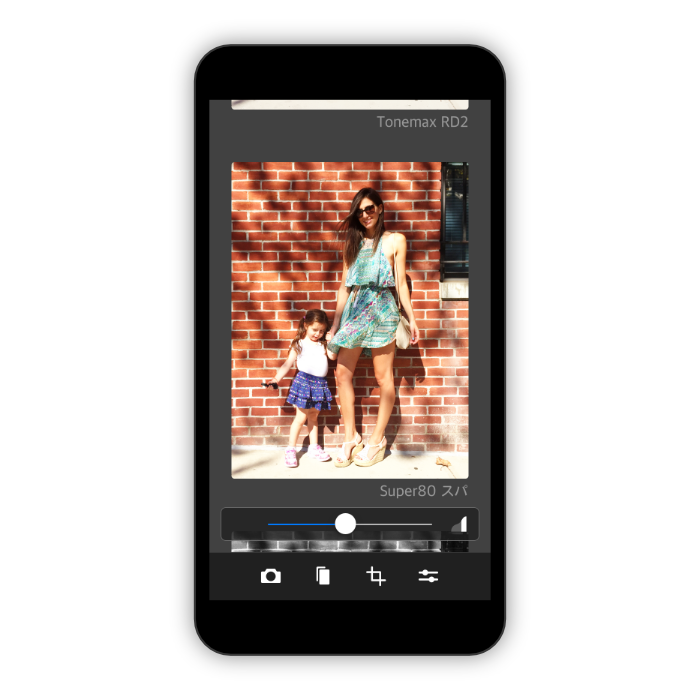
We’ve perfected the number and variety of filters in CameraBag over 9 years of making photo apps - no throw-away filters that you’ll never use. Each one has been lovingly crafted, and uses ultra-high-fidelity 96-bit processing.
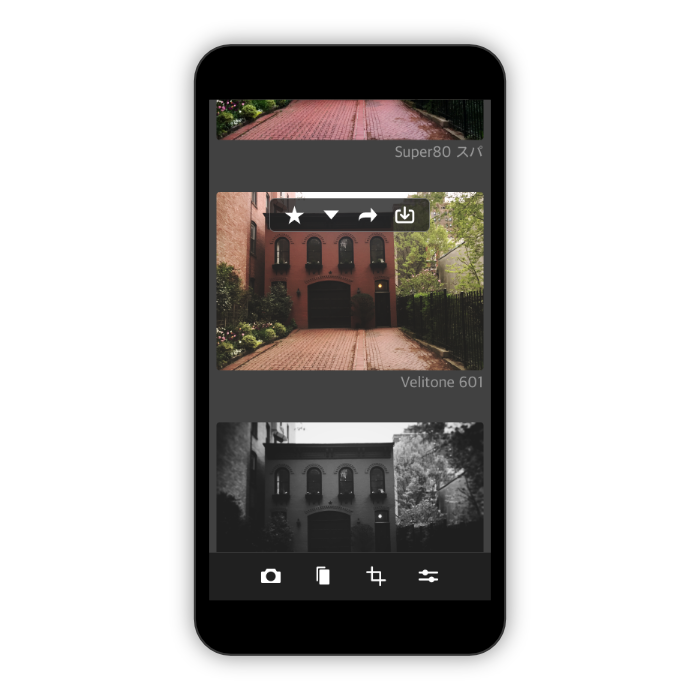
Use the star and arrow buttons to easily sort your filters, so your go-to looks will always be easily accessible right at the top. With each new photo, you can just scroll through the list and star your favorites, then scroll back to the top and they’ll all be right there to easily compare and choose the best one.
CameraBag has just the right level of control for perfect exposure. Shadows, midtones, highlights and more are all on easily-accessible sliders for professional control with mobile ease-of-use.
We love using it. We hope you will too.
Why futz around with tiny thumbnails? We’ve made your filters into a big beautiful vertically-scrolling list of full-width images. No more saving multiple versions of your photos just to be able to easily compare them full-screen.
We’ve perfected the number and variety of filters in CameraBag over 9 years of making photo apps - no throw-away filters that you’ll never use. Each one has been lovingly crafted, and uses ultra-high-fidelity 96-bit processing.
Use the star and arrow buttons to easily sort your filters, so your go-to looks will always be easily accessible right at the top. With each new photo, you can just scroll through the list and star your favorites, then scroll back to the top and they’ll all be right there to easily compare and choose the best one.
CameraBag has just the right level of control for perfect exposure. Shadows, midtones, highlights and more are all on easily-accessible sliders for professional control with mobile ease-of-use.
We love using it. We hope you will too.
© Nevercenter 2003-2024 | Email Us | Press Info